Halo
Bringing My NuLOOQ Back From the Dead
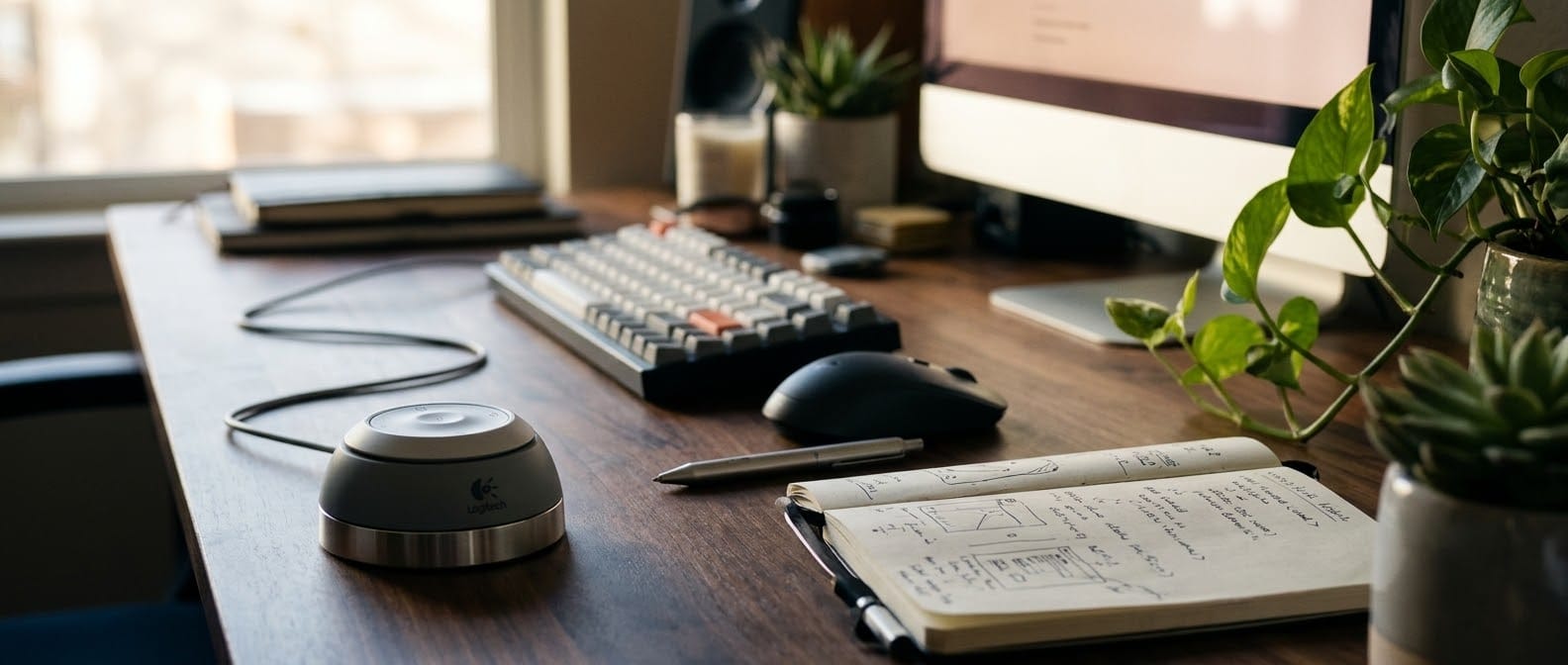
Back when I was working in architecture, I had a secret weapon on my desk: the Logitech NuLOOQ Navigator.
It was a heavy little puck that sat next to my mouse. Nudge it to pan. Twist it to zoom. Slide a finger around the glowing touch ring. Five buttons around the edge. My left hand drove the canvas while my right hand drew. Pure joy.
Then Logitech killed it.
A very short life
The NuLOOQ launched in February 2006 as a Mac-only bundle with Adobe Creative Suite 2. By October 2006, less than a year later, Logitech had discontinued the software that made it special. After that? Nothing. No updates, no new drivers, no goodbye.
Then the Mac moved on. The drivers were written for PowerPC and 32-bit Macs, and Apple dropped both years ago. Plug a NuLOOQ into a modern Mac and macOS says "oh, hello"… and then does absolutely nothing with it.
So mine went into a drawer. For about twenty years.
Why I built it
A few weeks ago I dug it out, plugged it in, and asked Claude, a simple question: can you make this usable?
I expected a polite "sorry, that's impossible." Instead it started poking around, and found that the NuLOOQ had been talking the whole time. Puck position, twist, ring angle, touch pressure, five buttons, even five LEDs, all over plain old USB. Nothing on the Mac was listening.
One afternoon later, it was listening.
Meet Halo
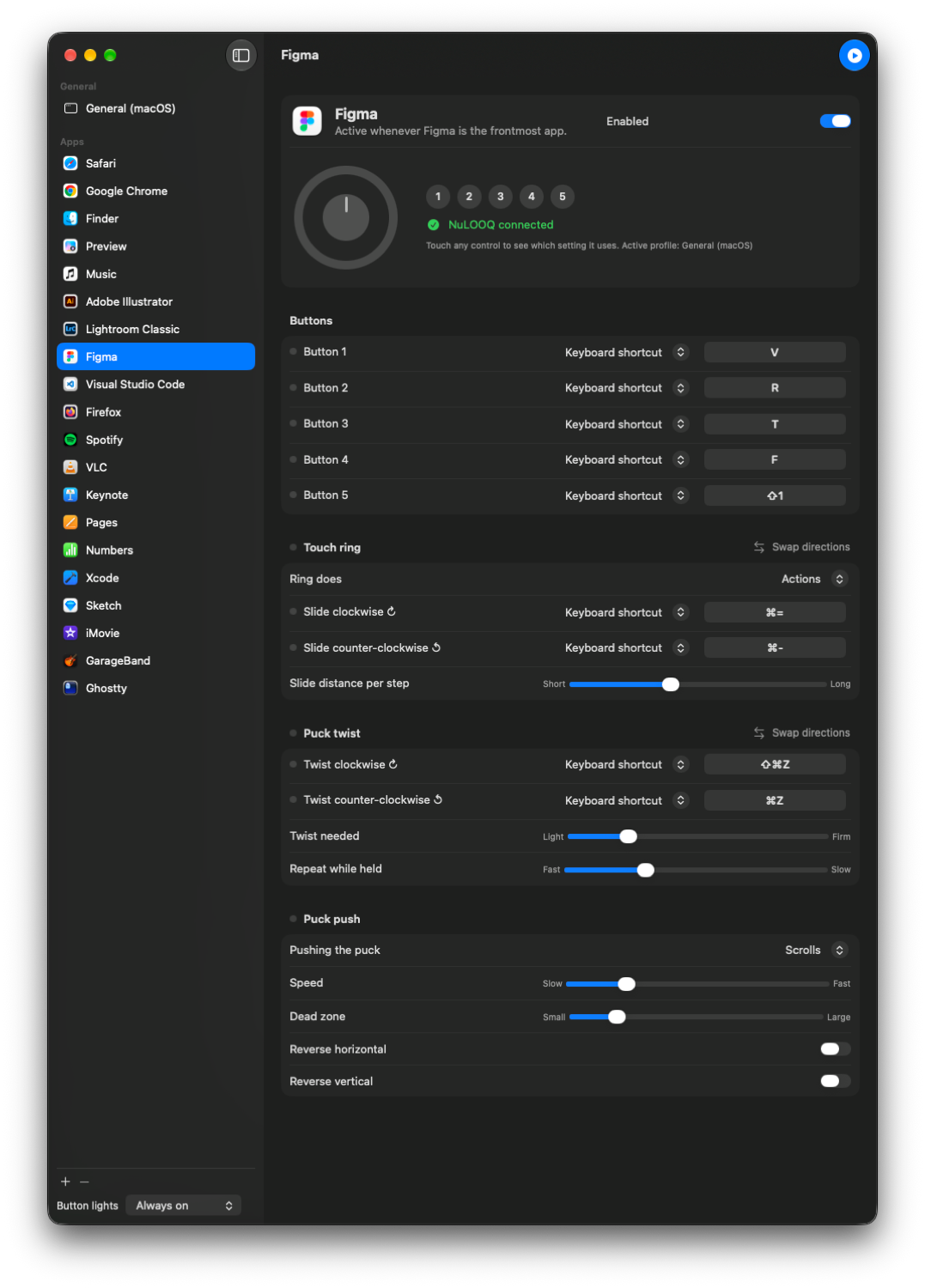
Halo is a little menu bar app that turns the NuLOOQ into a fully programmable controller. (I couldn't call it NuLOOQ. That's Logitech's trademark. Halo felt right for a glowing ring.)
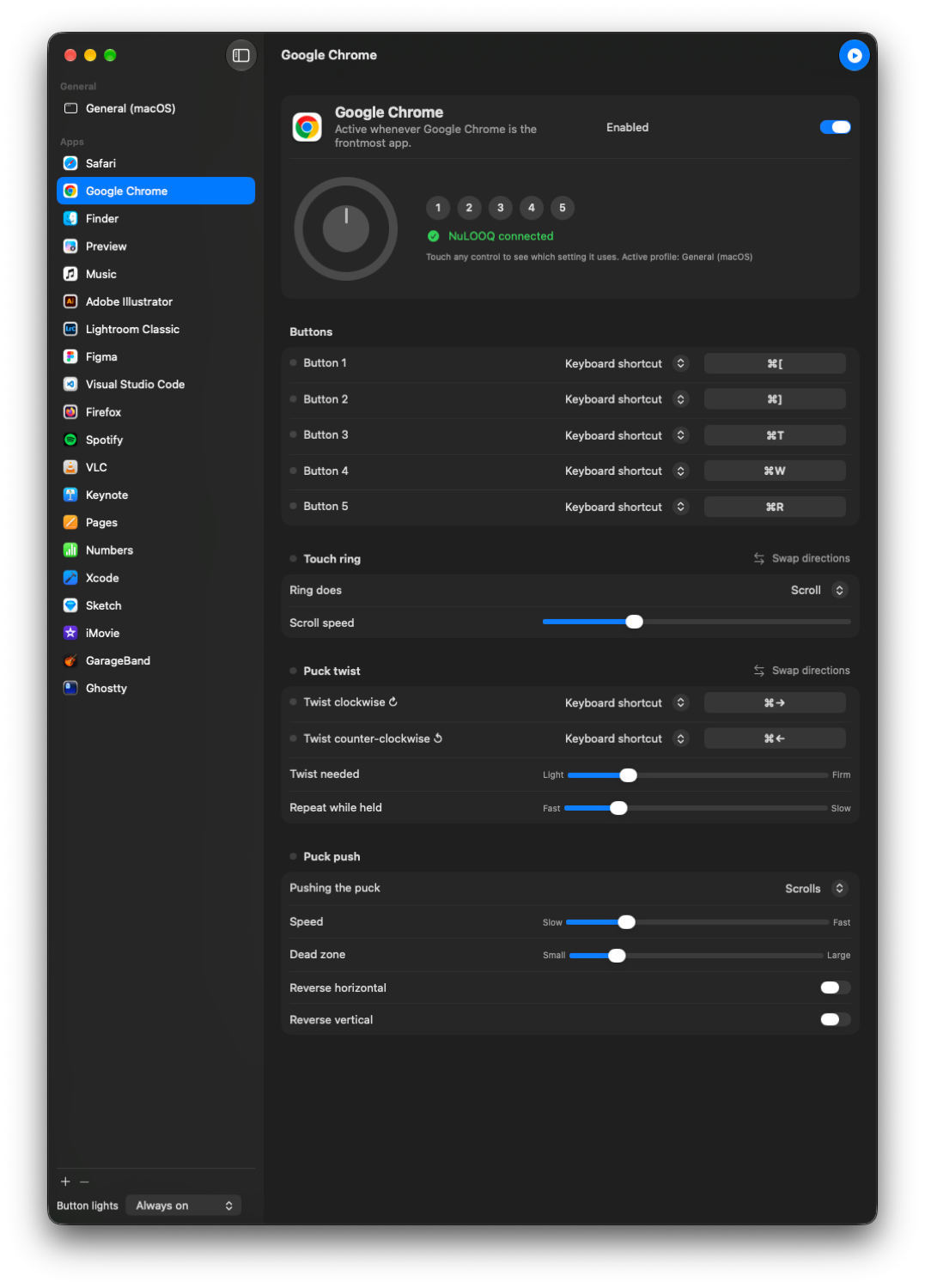
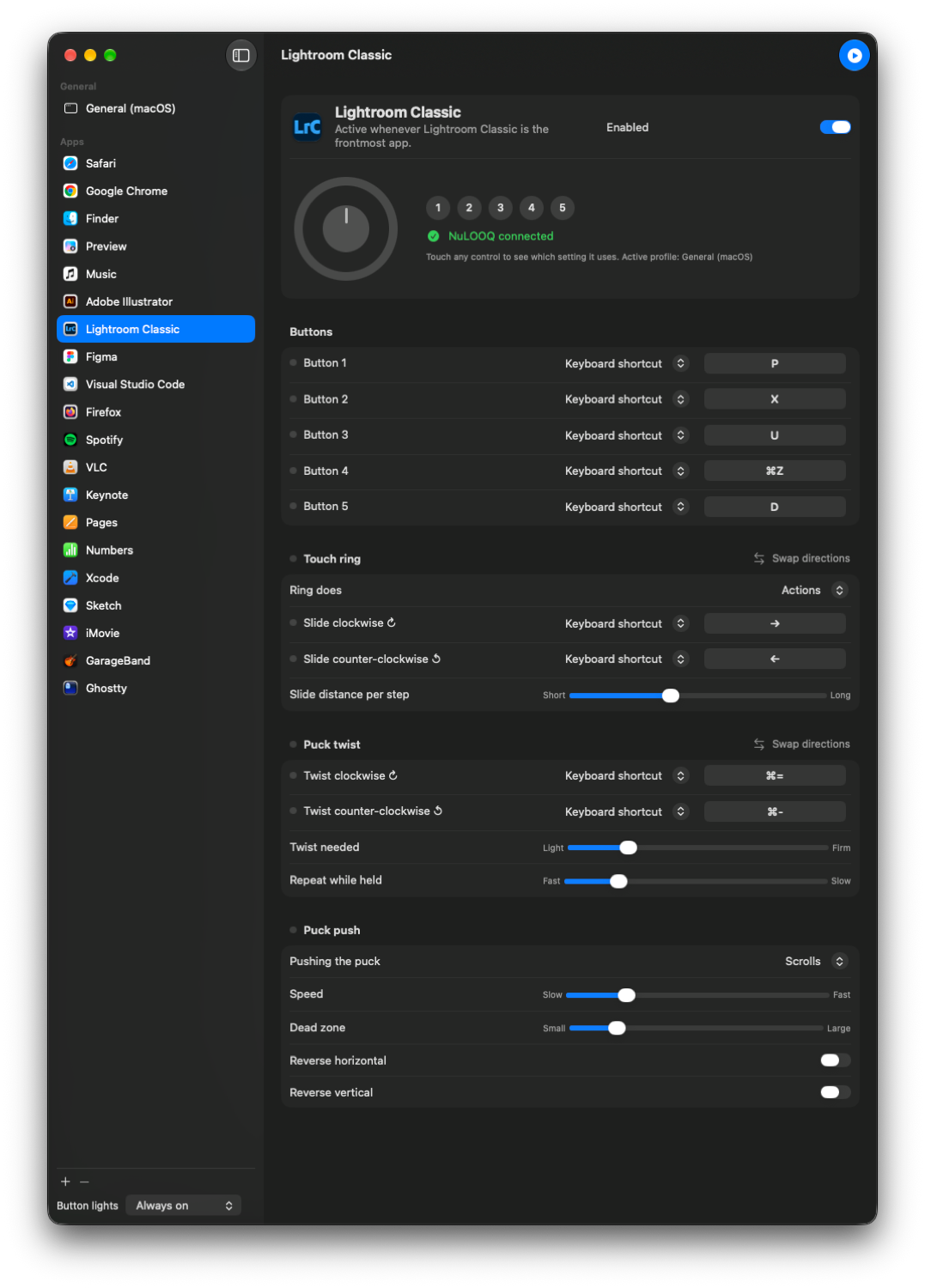
- Map every control: keyboard shortcuts (just press the keys to record them), media keys, mouse clicks, apps, even shell commands.
- Per-app profiles: In Safari the ring flips through tabs. In Lightroom it steps through photos. In Music, a twist skips the track. Halo switches the moment you switch apps.
- Live device view: the picture of the NuLOOQ in the window lights up as you touch it, so "which one is button 3?" is never a question.
- Glowing button lights: off, on while pressed, or always on while your Mac is awake.
The fun part was the bugs
Twenty-year-old hardware has opinions.
The volume ran backwards. Sliding clockwise turned it down. Turns out the ring counts the other way. One message later, fixed.
The puck wouldn't sit still. After I let go, Halo kept scrolling. I pasted the raw numbers into the chat, and the culprit was obvious: my puck's spring is tired, and it rests a little off-centre before creeping back. Now Halo notices when the puck goes still and quietly treats that as the new centre. A worn-out spring, fixed in software.
The lights I thought were dead. We blinked the LEDs. I said "nothing is on." Then I pressed a button… and a tiny light lit up right next to it. They'd been working all along. Now there's an always-on mode, and my desk has a little blue glow again.
On working with an LLM
I didn't write this code by hand. I was the eyes and hands: I could feel when the scrolling was wrong and see when the lights came on. Claude brought the know-how: USB, Swift, macOS permissions… I brought the product design, ux, wants and, needs. We just talked it through in plain English.
What would have taken me weeks of noodling took an afternoon. And it was genuinely fun. Less like programming, more like tinkering in a workshop with a very patient tool.
Better than 2006
In 2006 the NuLOOQ was a clever accessory for Adobe apps. Today it works with every app on my Mac, handles media and shortcuts, adapts to its own aging hardware, and sleeps when my Mac sleeps.
Not bad for something that spent two decades in a drawer.
How to install it
- Grab Halo from GitHub.
- Run
./build.sh. It builds Halo and puts it in your Applications folder. - Open Halo and grant Accessibility when macOS asks.
- Plug in your NuLOOQ.
- Tweak your mappings, or just use the presets.
You'll need an Apple Silicon Mac running macOS 15 or later.
If you've got one of these in a drawer too, I'd love to hear from you.
Enjoy!