Atrium
Atrium tracks every important document a team depends on, who needs to act on it, and when it runs out.
Overview
Atrium tracks every important document a team depends on, who needs to act on it, and when it runs out.
Contracts drive most of the work. A supplier agreement lapses, a signature sits unanswered for two weeks, a license renews on its own because nobody saw the date coming. Atrium puts those moments in front of the right person early enough to do something about them.
It also holds the other documents teams live with: engineering specs, dimensional drawings, internal policies, and anything that does not fit those buckets. Each team sees its own documents by default. An admin view sees everything.
My role
I designed Atrium end to end, from the first question to the pages you can click through today.
I defined the product scope, mapped the workflows, and set the visual direction. I built the interface as working HTML so the team can open it in a browser and use it, with real navigation, filtering, and state. Nothing is a flat picture of a screen.
I also wrote the supporting material: the styleguide, the feature showcase, and the how-to guide. Together they let a developer or a stakeholder understand the product without sitting next to me.
The Problems
Documents lived in shared folders, inboxes, and personal spreadsheets. The information existed. Finding it at the right moment was the hard part.
- Dates arrived as surprises
Expiration dates sat inside PDFs. Someone noticed a lapse after it happened, and renewal started from zero with days to spare. - Unsigned documents went quiet
A contract waiting on one signer had no owner chasing it. Nothing showed how long it had been waiting or who held it up. - Every team kept its own system
Gift cards, hardware manufacturing, advertising, and engineering each tracked documents differently. Nobody could answer a cross-team question without asking around. - Renewals were rebuilt by hand
Each renewal meant finding the old agreement, copying terms into an email, and working out who had to sign. The same steps repeated for every vendor. - No record of what happened
When someone asked who changed a version or who archived an agreement, the answer lived in someone's memory. Audits meant reconstructing history from email threads.
The Solution
Atrium organizes the work around the question each person asks when they open it: what needs me today?
Dashboard
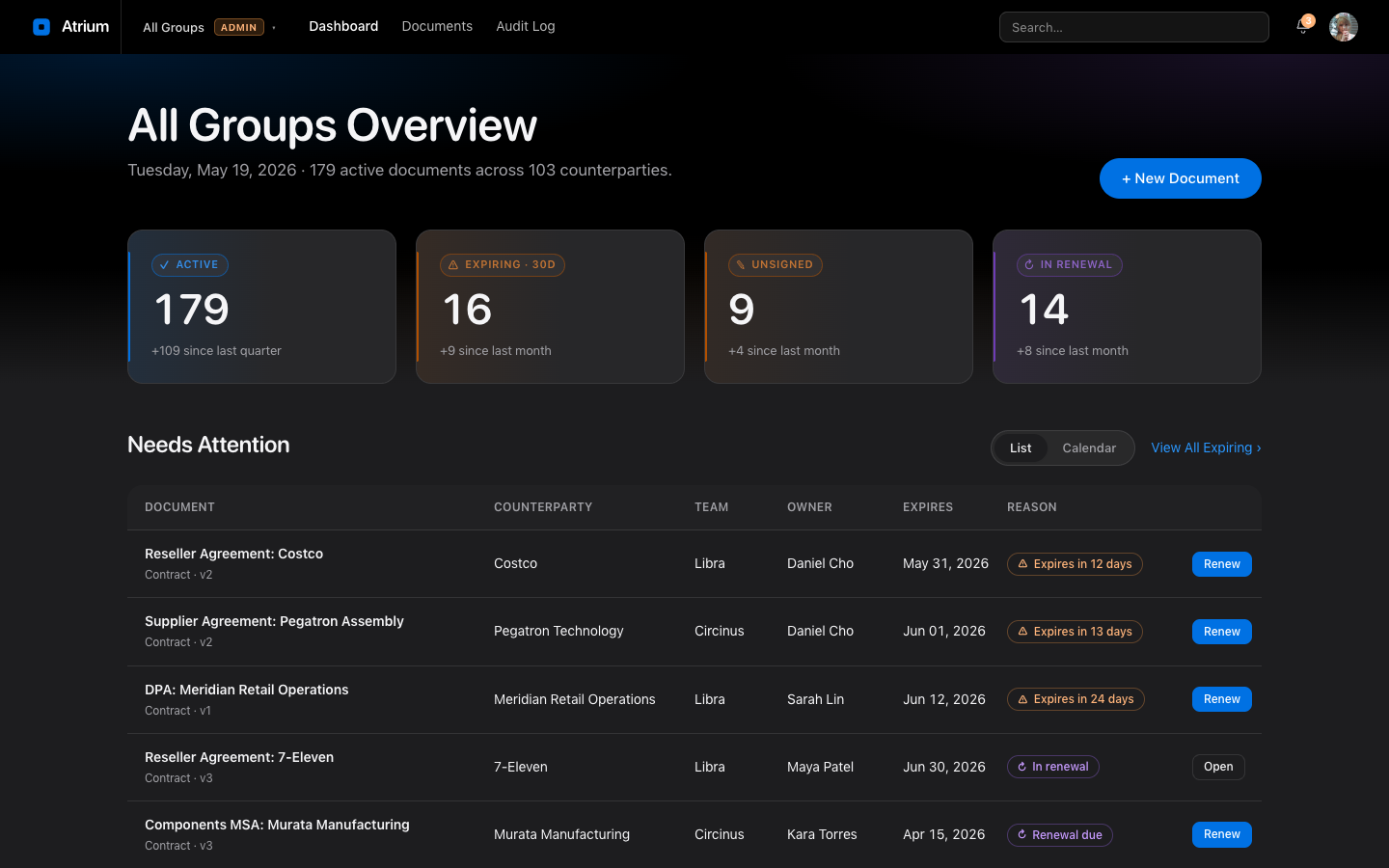
Four headline numbers (Active, Expiring, Unsigned, In Renewal) sit above a Needs Attention queue. Each row has the action that clears it, such as Renew or Remind. A calendar view lays the same items out by date.
My Queue
Documents where you hold a role: Sign, Approve, Review, or Owner. A person with three tasks sees three rows and nothing else.
Documents
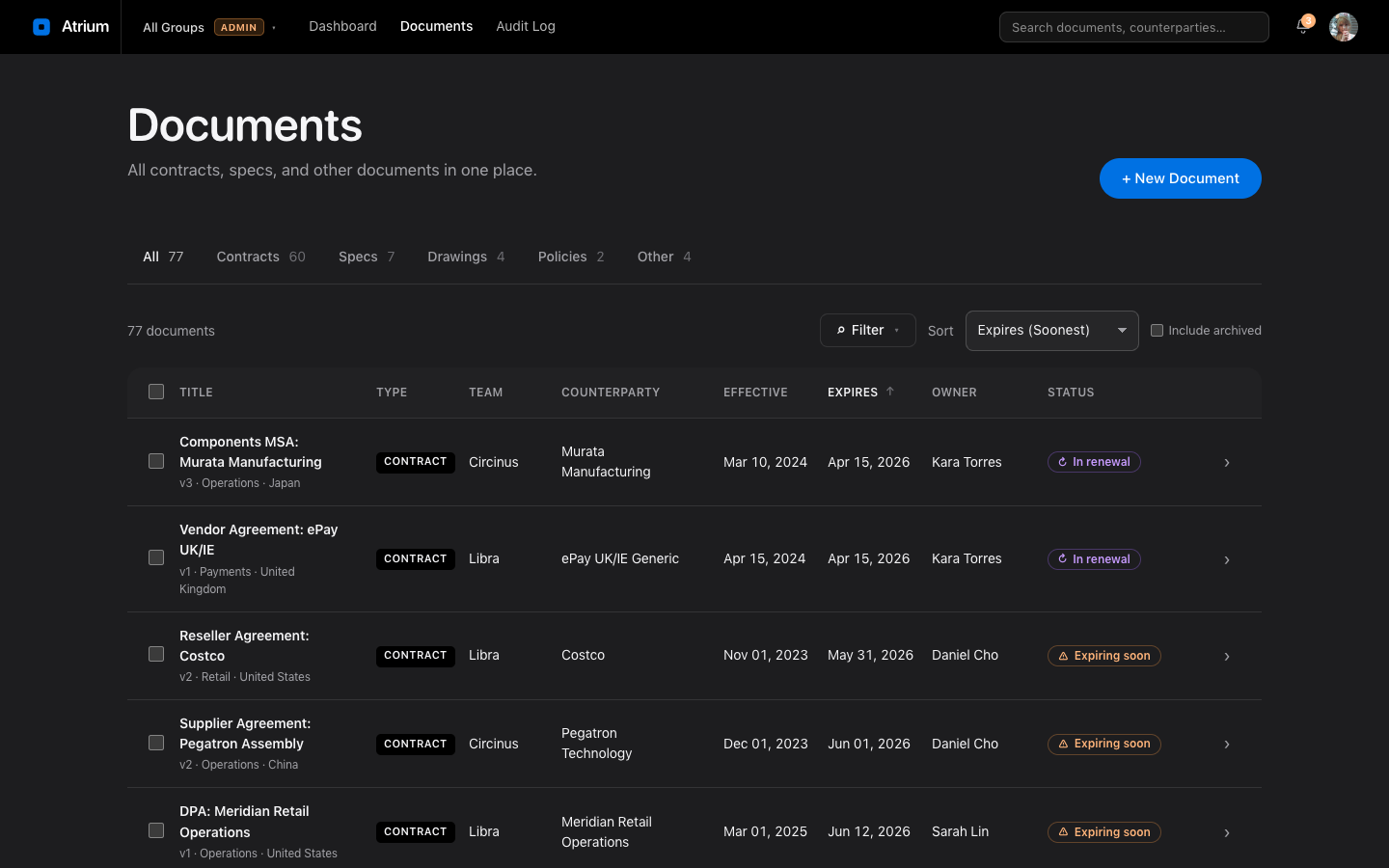
One list for all 77 sample documents, with type tabs and a slide-in filter panel. Bulk actions let an owner renew, archive, reassign, or export a selection together.
Document Detail
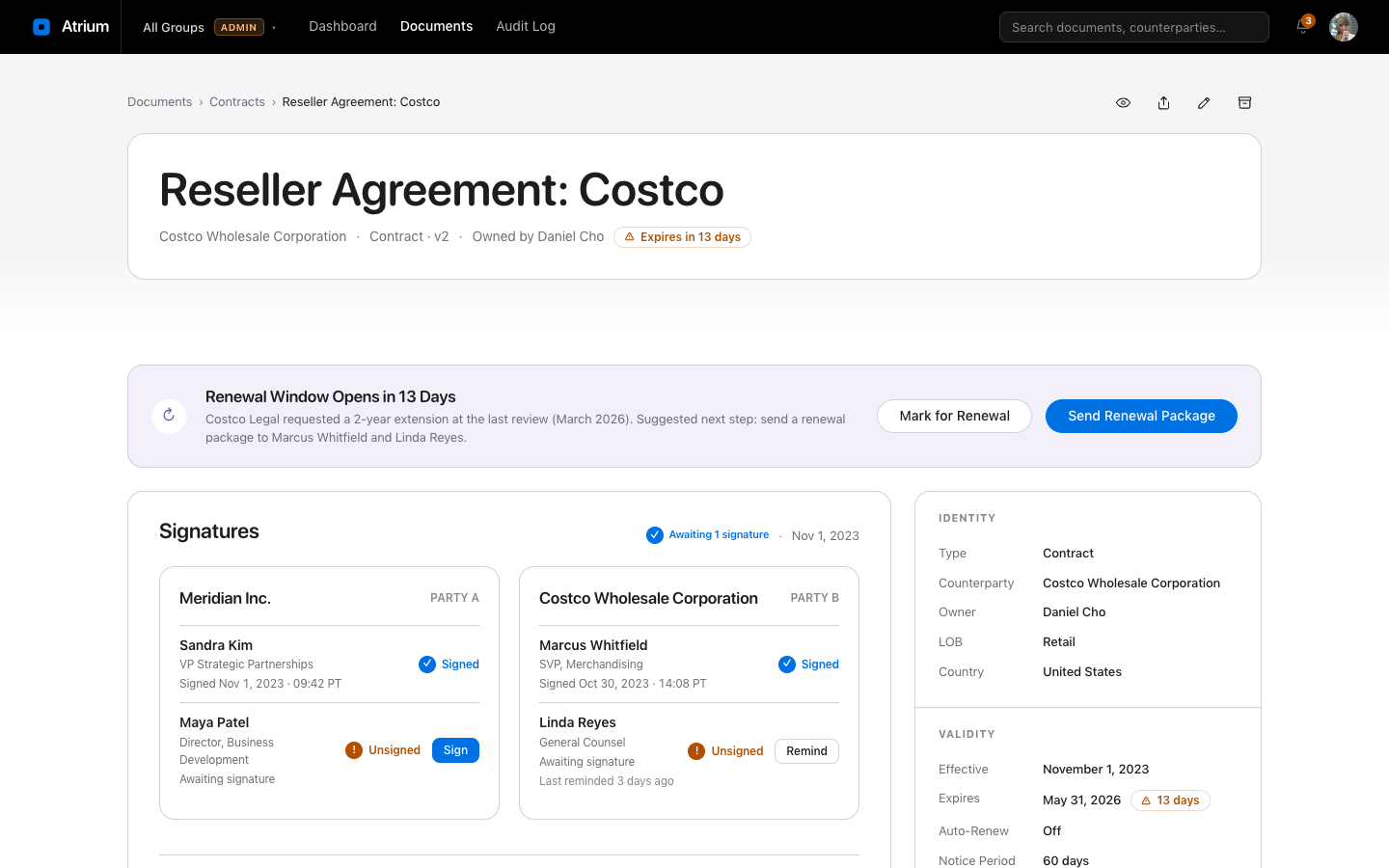
The page changes with the document type. A contract shows signatures. A spec shows engineering approvals. A drawing shows review status. A policy shows its stewards.
Renewal Wizard
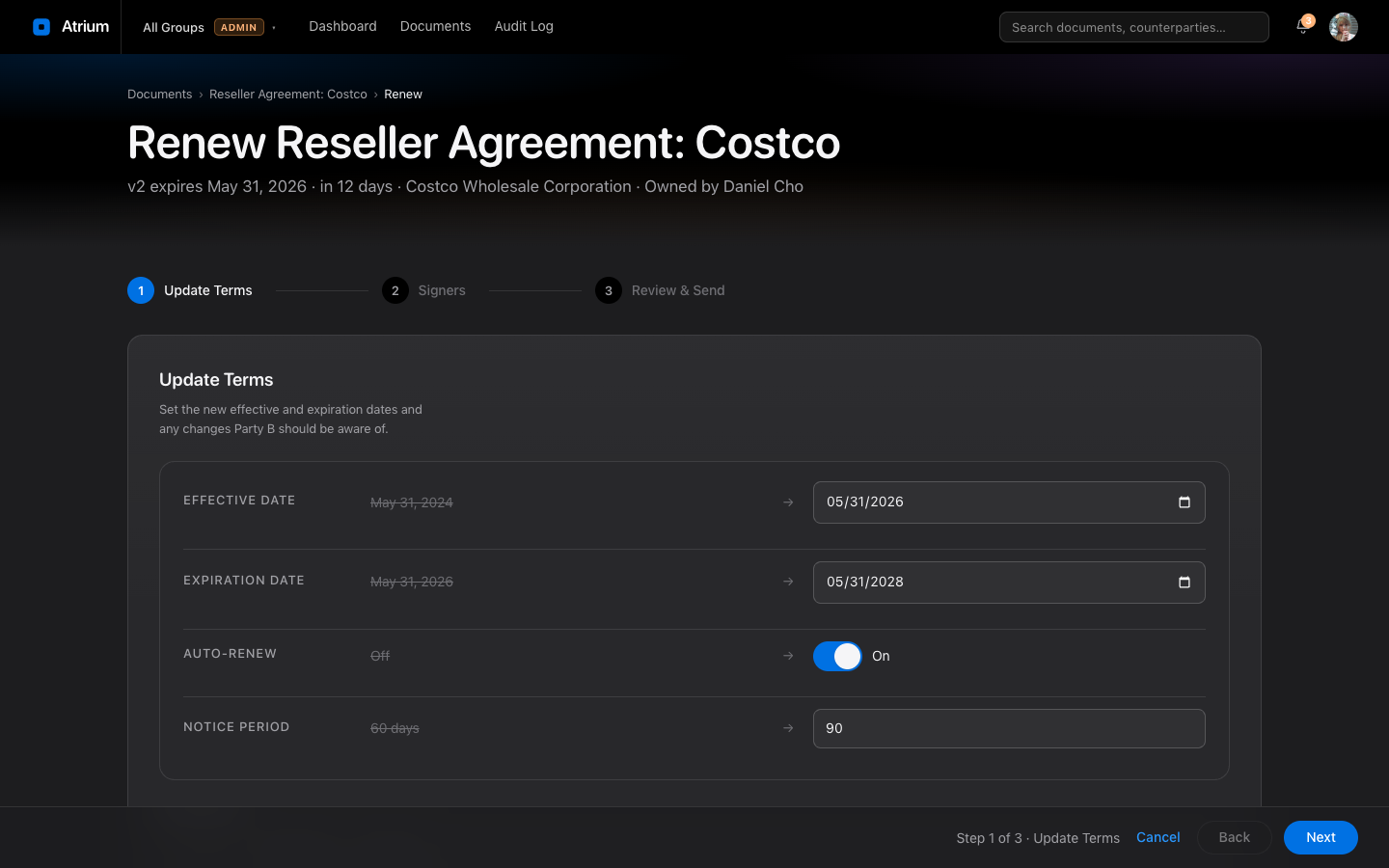
Three steps: review what changes, confirm signers, preview the email. Terms come from the existing document, so nobody retypes them.
Audit log
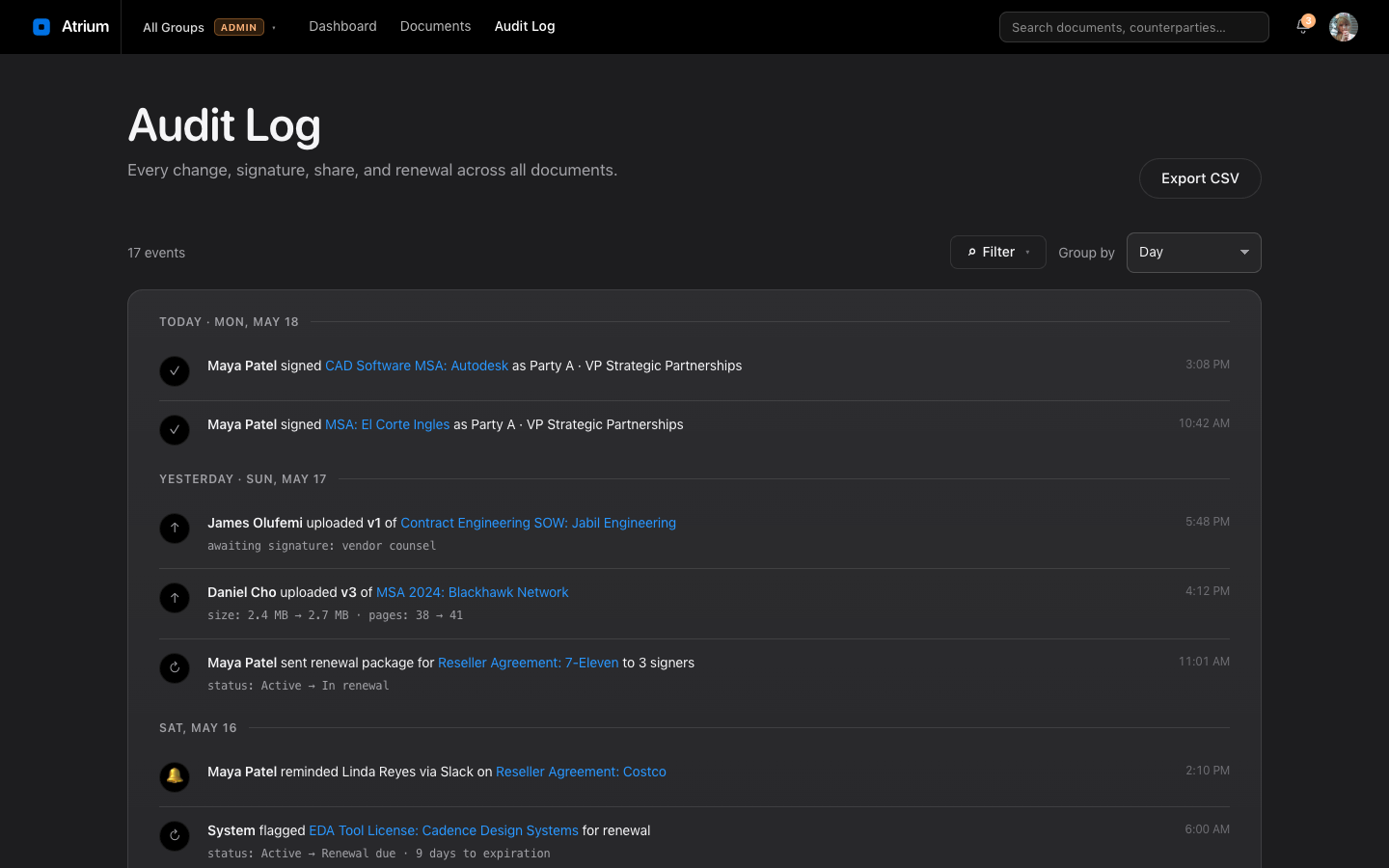
Every change is grouped by day, with who did it and which document it touched. Filters narrow it to a team, a person, or an event type.
How it's used
Three people, three ways into the same system.
The contract owner
Maya Patel owns vendor agreements for her team.
- She opens the dashboard and checks the Expiring count.
- She sorts Needs Attention by date and picks the agreement closest to its end.
- She starts a renewal from the row, confirms the signers, and sends the package.
- The document moves to In Renewal and the audit log records each step.
Result. A renewal that took a morning of searching and copying takes a few minutes.
The signer or reviewer
Someone outside the owning team has a signature or approval pending.
- My Queue lists the documents waiting on them, each tagged with their role.
- They open one, read it in the inline preview, and act.
- The owner sees the status change without sending a follow-up.
Result. An owner can send a reminder to a late signer from the document itself, so chasing stays in the product.
The administrator
An admin oversees every team and sets up new ones.
- They switch to All Groups and see every document at once.
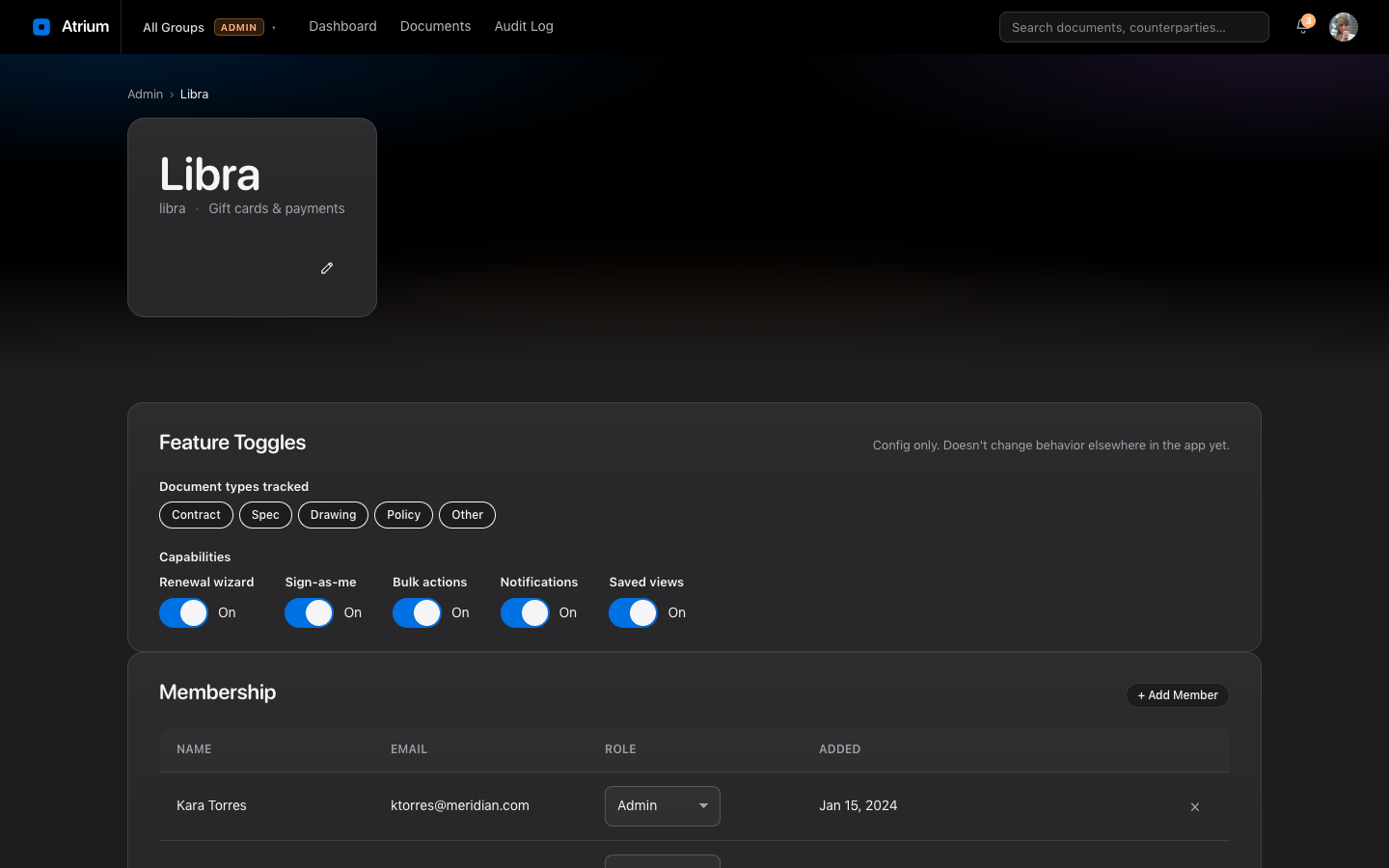
- The admin pages list each team with its members, document types, and feature toggles.
- A new team goes live through a short onboarding wizard.
Result. Pavo, the advertising team, starts with an empty state that explains what to do first. A new team lands somewhere helpful on day one.
The Conclustion
Atrium gives teams one place to track contracts, specs, drawings, policies, and other documents. Owners see what expires and what sits unsigned, signers see what waits on them, and admins see every team at once. A renewal that used to mean a morning of searching and copying now takes a few minutes, and every change lands in the audit log.